DiscoverHumble: The Problem with the HumbleBundle Library
I’d like to think of myself as a somewhat avid gamer, and in my opinion, any avid gamer should be familiar with HumbleBundle. For those who might not be a gamer…
· 5 min read
Redesigning the HumbleBundle Library Experience
DiscoverHumble is the second installment of a timed product challenge I’ve been taking on in 2018. Check out an article about my first challenge here
I’d like to think of myself as a somewhat avid gamer, and in my opinion, any avid gamer should be familiar with HumbleBundle. For those who might not be a gamer, HumbleBundle is an online service that allows users to purchase video games and occasionally books and software. HumbleBundle has the added benefit of contributing a portion of each purchase to charity (something which I’m a huge fan of). It’s a straight forward idea, and they do it well.
I generally love everything about HumbleBundle, except for one small thing in which is their library system. HumbleBundle provides an online library for you to see all your purchases whether it be games, software, music or books.
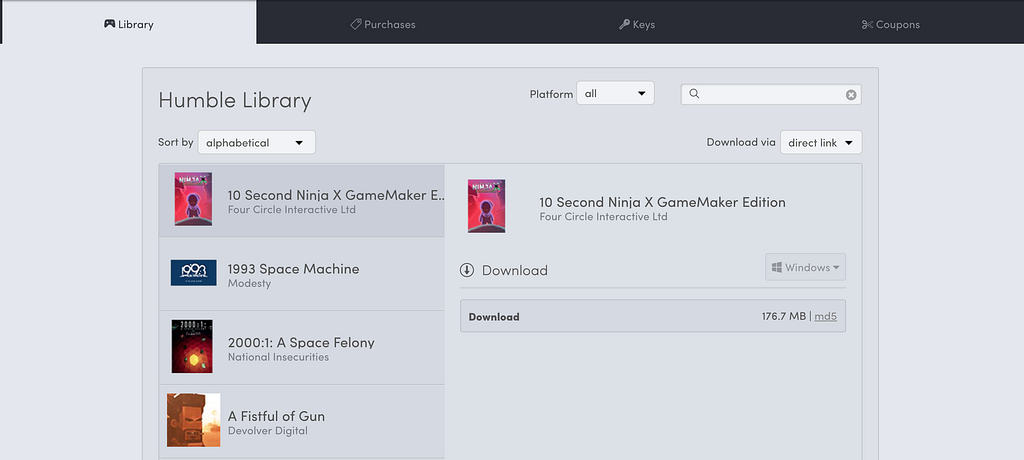
The library allows you to sort your items, specify a platform that a product can exist on (windows, Mac, etc) and you can even search by name. All of that is fine, but my major complaints come from when you’re actually looking to get some information on the things you’ve purchased.
Taking a look, what do we actually have available to us?
-
a small photo of the product,
-
the name of the product,
-
who it was developed by,
-
and a link to download it.
That’s it. We have 4 pieces of information to remind us what we purchased and based on that, whether or not we want to play it.
Now you might say:
What’s the problem with that? I know what I purchased, I don’t need any more information.
Well the problem is, on HumbleBundle it’s very easy to own not just a couple of items in your library, but maybe upwards of 10 items, 50 items, and maybe even something like **187 items. **HumbleBundle occasionally will offer Bundles (which I think is one of their key selling points next to HumbleMonthly), which allows individuals to contribute any amount they want in exchange for a collection of items. Purchasing a single bundle can net you up to (as an example) 12 items or more. Once you purchase a couple bundles, it easy to have that library get large quickly.
Now you might say again:
Okay, that’s great and all. But you haven’t explained what your issue is?
Well lets look at an another example of the library.
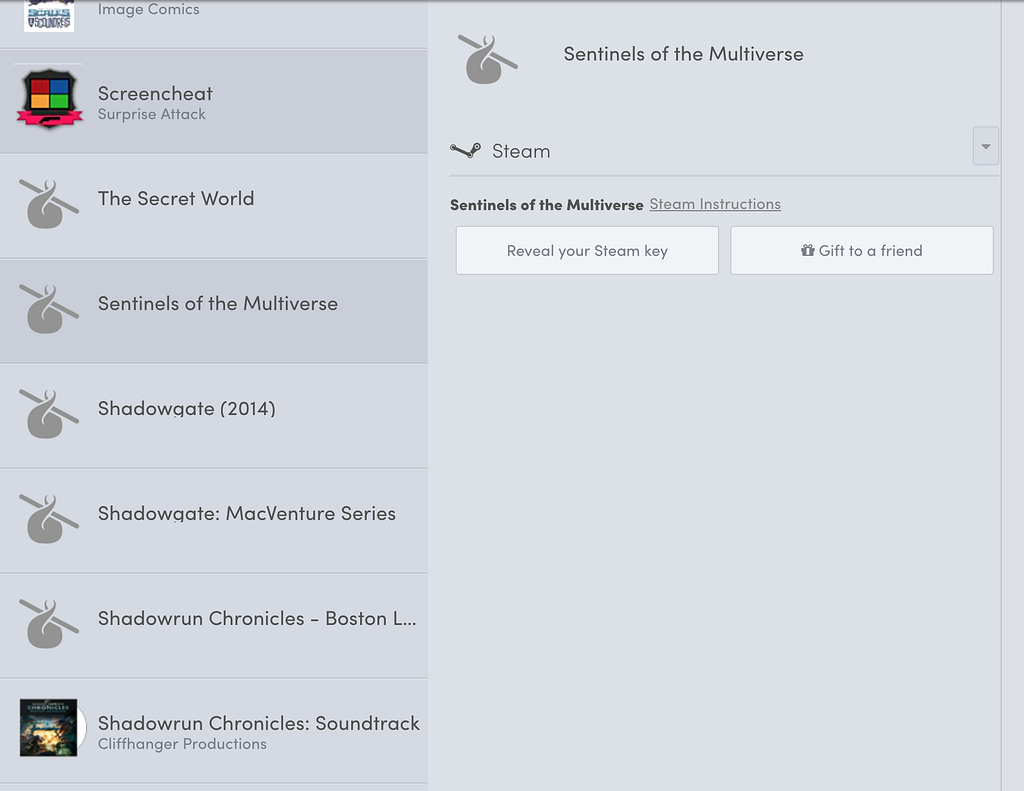
Here we have a section of my personal library, and what do we notice?
We see some of these items don’t even have images to show you what it actually is. (As an aside, I’ve been told this is due to copyright issues, but we’ll ignore that for now). Apart from that, unless I specifically purchased a single item and I was looking for it, I have no clue what’s actually in my library. I have no context when I purchased it, whether it’s from a bundle or not, and what it actually is.
As a result of this, a lot of items in my library disappear into the Humble abyss never to be played or looked at again.
And this here, lies my issue. The design of the library doesn’t help the user figure out what exactly is in their library, and as a result, a number of great products end up not being discovered*** ***and seen because the **library is too broad, and unfocused. **The design is too simple and doesn’t give the user enough information so that they can look at any product, and know what to expect out of that product.
To give you an idea of what normally happens to me. Usually I’ll browse my library, find a name that sounds familiar or interesting, and then look it up on another site like Steam to figure out what exactly the product is. A lot of back and forth for just one product, and now expand that for all 187 items in my library. A lot of time spent flipping between sites just to figure out what I’ve already purchased.
Thinking about this, I wondered, can I come up with a new design for the Humble Library that could solve some of my issues?
That question is how we ended up with my second timed challenge of 2018.
The goal this time: can I come up with a new way to think about the HumbleBundle Library and build it all, under a total of 36 hours of work.
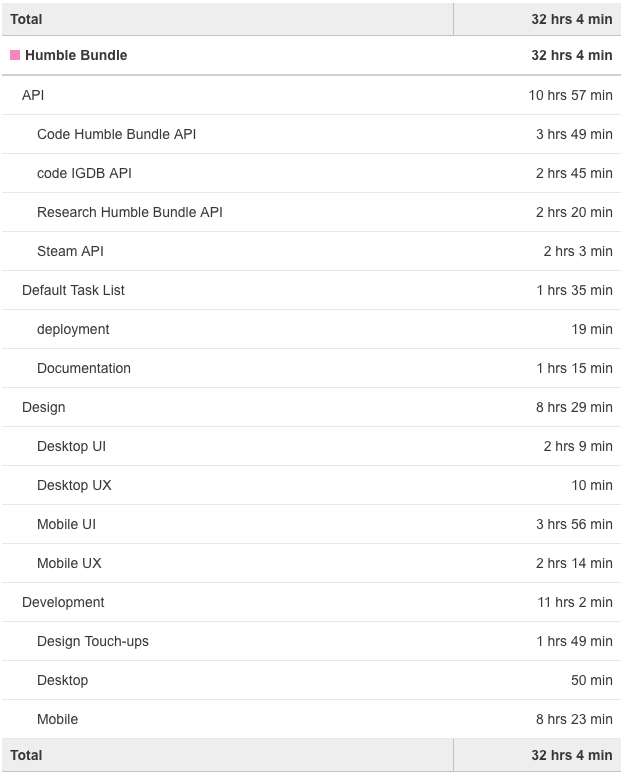
I’m happy to present, **after a total of 32 hours and 4 minutes of work, **my redesign of the HumbleBundle Library: (check it live here)
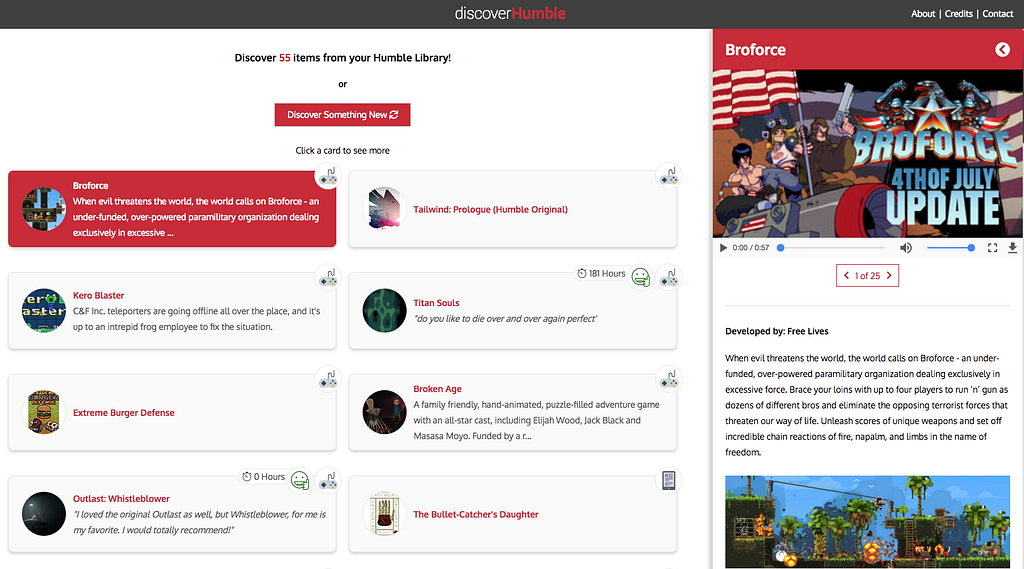
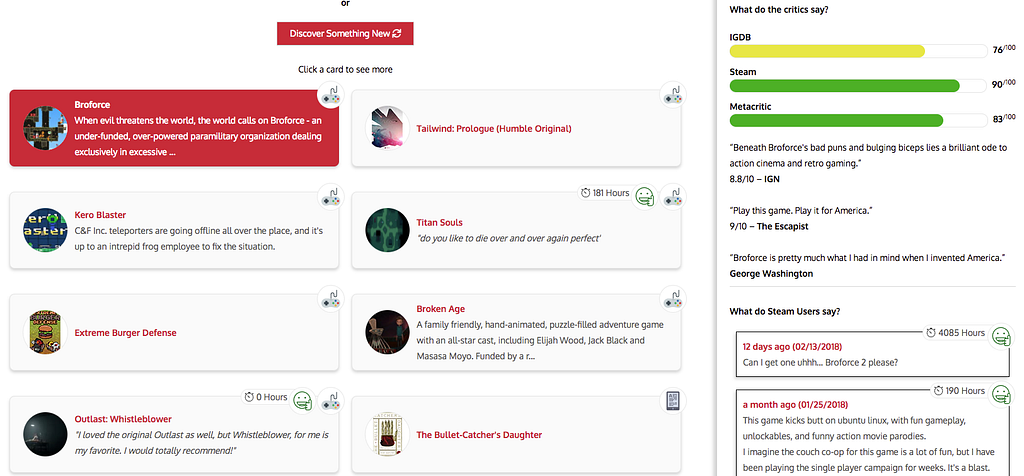
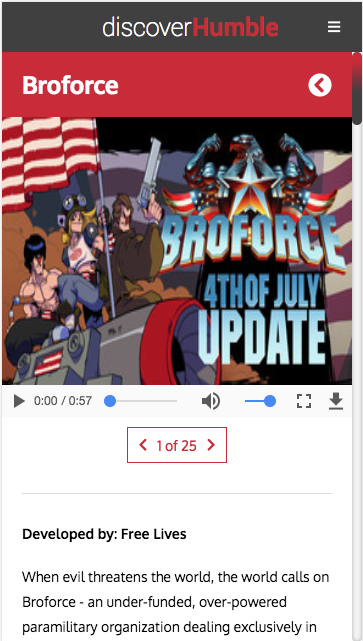
The redesign offers the following:
-
A new design and layout
-
Videos and images for the product
-
Steam User Reviews to see what people are saying
-
Product Ratings from Steam, IGDB and Metacritic
-
Product summaries just to give some context
-
A smaller portion of items to look at each time (less is more)
-
A consistent Mobile Experience
By bringing in information from Steam, and IGDB**, **we can provide the user with some more information in case the user completely forgets what it is they bought. I believe that my redesign focuses more on **rediscovering **certain products in your library, as opposed to just giving you all your products in your library in a normal list.
Want to see it in action? Check it live here.
—
Want to know how to use this yourself?
Check out instructions on how to set up this project for your own Humble Bundle Library here.
—
Do you like the redesign?
Do you also share a similar HumbleBundle library pain too?
Do you disagree?
Leave a comment below or let me know here!
Bonus: Interested in how my time was broken down?
Its-Licious: Behind The Tech Scenes
Its-Licious was the first self timed project that I’ve ever undertaken. The goal was simple: 48 total working hours to build this idea from scratch. The time li…
Onboarding is Better with a Buddy
For new hires the first day, week, and even month can evoke a range of emotions in people. Often people are riding on the highs of the fact that they’re enterin…